Choosing a Platform
If you’re looking to play Taiko no Tatsujin at home, one of the first decisions you’ll make is choosing which version of the game to play.
For almost everyone, the answer is Taiko no Tatsujin: Rhythm Festival.
While there have been many other home releases over the years, most have now been discontinued, delisted from digital storefronts, or no longer receive updates. For this reason, taiko.guide focuses primarily on Rhythm Festival and Pop Tap Beat, as they are the only home titles still actively supported by Bandai Namco.
This page compares the available home releases and the differences between each supported platform, to help you decide which option is right for you.
On this page
- Rhythm Festival
- Steam (PC / Steam Deck)
- PlayStation 5
- Xbox Series X|S
- Nintendo Switch (1 & 2)
- Online Features
- Music Pass
- Pop Tap Beat
- Which Platform Should I Choose?
Rhythm Festival
Rhythm Festival, also referred to as RF, is the current console and PC release of Taiko and continues to receive regular updates, new songs, online events, and gameplay improvements. It’s available on multiple platforms, making it the easiest version to recommend for both new and returning players.
 |
|---|
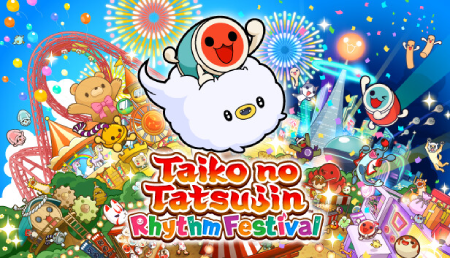
| The cover for Taiko no Tatsujin: Rhythm Festival. |
Rhythm Festival is currently available on the following platforms:
- Steam (PC / Steam Deck)
- PlayStation 5
- Xbox Series X|S
- Nintendo Switch (1 & 2)
The gameplay experience is almost identical regardless of which platform you choose, so if you already own one of the supported systems, that’s usually the best place to buy it.
If you already own a supported platform, buy Rhythm Festival there.
However, if you’re purchasing hardware specifically for Taiko no Tatsujin, the Steam version is generally the best choice thanks to its broad controller compatibility and greater flexibility.
Steam (PC / Steam Deck)
For most players, the Steam version is the easiest platform to recommend. It offers the greatest flexibility, broad controller compatibility, and the largest online multiplayer community.
Advantages
- Supports the latest official drum controllers, as well as many third-party options.
- Largest online multiplayer community.
- Regional pricing is available in many countries.
- Supports high refresh rate displays (120 Hz and above).
- Can be played on both desktop PCs and Steam Deck.
Things to consider
- Requires a capable PC. Check the Steam store page for the recommended specifications.
- Some third-party controllers may require additional setup or configuration.
Playing on Steam Deck
One of the biggest advantages of purchasing Rhythm Festival on Steam is that it can also be played on Steam Deck.
This gives you the flexibility to play on both a desktop PC and a handheld device without needing to purchase another version of the game, making it a great option for players who want to enjoy Taiko both at home and while travelling.
Although Steam Deck includes a touchscreen, Rhythm Festival does not support touchscreen controls on Steam. Instead, you’ll need to use the built-in controls, a keyboard, an external game controller, or a drum controller.
PlayStation 5
The PlayStation 5 version offers an excellent experience and is a great choice if you already own the console.
Advantages
- Excellent performance.
- Supports displays up to 120Hz.
- Official drum controller available.
- No graphics settings or hardware configuration required.
Things to consider
- Requires PlayStation Plus for online multiplayer.
- Limited controller compatibility compared to PC.
Xbox Series X|S
The Xbox Series X|S version is very similar to the PlayStation 5 version, offering the same gameplay, updates, Music Pass support, and online features.
Advantages
- Excellent performance.
- Supports displays up to 120Hz.
- Official drum controller available.
- No graphics or hardware configuration required.
Things to consider
- Requires Game Pass for online multiplayer.
- Generally has a smaller online playerbase than Steam.
- Limited controller compatibility compared to PC.
Nintendo Switch (1 & 2)
The Nintendo Switch version is ideal for players who value portability while still offering the complete Rhythm Festival experience.
Advantages
- Play both docked and handheld.
- Supports touchscreen controls in handheld mode.
- Great for local multiplayer.
- Can output audio directly from the console’s headphone jack, bypassing the additional audio latency introduced by HDMI.
- Official drum controller available.
- Includes the exclusive Don Don Fitness game mode.
Things to consider
- Nintendo Switch Online is required for online multiplayer.
- Limited to 60Hz displays.
- Performance may occasionally be lower than on PC, PlayStation 5, or Xbox due to the Switch’s portable hardware.
- Limited controller compatibility compared to PC.
Online Features
Rhythm Festival includes online multiplayer, allowing you to play with other people over the internet.
There are a few important things worth knowing before deciding which platform to buy.
- There is no cross-play between platforms.
- There is no cross-save, so progress cannot be transferred between platforms.
- The Steam version generally has the largest active online community.
- Finding online matches on console versions may be more difficult, particularly outside peak hours.
If online multiplayer is one of your main priorities, Steam is generally the best choice.
Music Pass
Rhythm Festival receives regular content updates, including new songs and limited-time events.
While the base game already includes a large song library, many additional songs are available through the Music Pass, a paid subscription that grants access to hundreds of extra tracks.
Many newly released songs are included with Music Pass, and some collaboration events require Music Pass songs in order to participate.
Music Pass subscriptions are available in 1-month and 3-month plans. First-time subscribers also receive a discounted introductory price, although this varies by platform and region. Check the in-game store for current pricing.
The base game already contains plenty of content for new players, and both Music Pass and individually purchased DLC song packs are completely optional. However, players who intend to play regularly may find Music Pass worthwhile thanks to its significantly larger song library.
Pop Tap Beat
Pop Tap Beat is the current Taiko no Tatsujin title available through Apple Arcade.
 |
|---|
| Taiko no Tatsujin: Pop Tap Beat app icon. |
Unlike Rhythm Festival, Pop Tap Beat is only available on Apple devices and requires an active Apple Arcade subscription.
Supported devices include:
- iPhone
- iPad
- Mac
- Apple TV
The game continues to receive regular updates, including new songs. However, it offers a much smaller feature set than Rhythm Festival and is primarily designed around touchscreen play.
For these reasons, Pop Tap Beat is best viewed as a convenient way to enjoy Taiko on Apple devices rather than a direct replacement for Rhythm Festival.
If you’re already an Apple Arcade subscriber, Pop Tap Beat is a great way to enjoy Taiko without purchasing another version of the game.
Which Platform Should I Choose?
Here are our general recommendations based on the most common situations:
- Already own a supported platform? Buy Rhythm Festival there.
- Buying hardware specifically for Taiko? Steam is generally the best choice.
- Want to play on the go? Nintendo Switch and Steam Deck are great options.
- Already subscribed to Apple Arcade? Pop Tap Beat is an easy way to play casually on Apple devices.
Platform Comparison at a Glance
If you’re still undecided, here’s a quick summary to help you:
| Feature | Steam | PS5 | Xbox Series X|S | Switch (1 & 2) |
|---|---|---|---|---|
| Online Updates & Music Pass | ✅ | ✅ | ✅ | ✅ |
| Online Multiplayer | ✅ | ✅ | ✅ | ✅ |
| Subscription Required for Online Multiplayer | ❌ | ✅ | ✅ | ✅ |
| Portable | ❌ (✅ Steam Deck) | ❌ | ❌ | ✅ |
| Touchscreen Controls | ❌ | ❌ | ❌ | ✅ |
| Official Drum Controller | ✅ | ✅ | ✅ | ✅ |
| High Refresh Rate Support | ✅ (PC: 120Hz+) | ✅ (120Hz) | ✅ (120Hz) | ❌ (60Hz) |
The Steam version supports high refresh rate displays on compatible desktop PCs. Steam Deck LCD supports up to 60Hz, while Steam Deck OLED supports up to 90Hz.
Read Next ➡️
🚧 taiko.guide is currently under active development.
Documentation is being added and expanded over time, so some sections may be incomplete or marked as work in progress.